Zombie Couple Video AI
Source clip
Your partner. Your zombie love story. A reunion worth remaking.
Add a clip to estimate credits
Review the cost before you generate.
Genjutsu AI is a Zombie Couple Video AI Generator for recasting an existing love story with your own characters. Start with one of the supplied clips or upload a source video, add separate reference photos, and describe who stays human and who becomes the zombie. Use Motion Transfer to reinterpret the performance or Object Swap to request one character replacement. The video supplies the action; your references guide the cast.
The zombie couple video is a short horror-romance story. One partner has been infected; the other recognizes them, hesitates, lowers a weapon and chooses an embrace. Many versions cut during that embrace to a warm memory of the same couple before the outbreak. The emotional change from fear to recognition matters more than the zombie makeup.
You may know this format as the AI zombie trend, zombie love story, AI zombie hug or “My Beloved Zombie.” These names describe overlapping versions of the same idea, rather than a single official app or a mandatory soundtrack. A zombie couple video AI generator should make clear how you choose the two roles and whether it supplies a fixed story or edits footage you bring.
Genjutsu AI uses a source-video workflow. Your clip establishes the encounter, movement and any memory transition; reference images tell the model how you want the characters to look. If you only have two photos, choose a supplied clip first. Photos alone do not create a new plot here, and a prompt cannot guarantee that the hug, faces or cuts will remain identical to the original.
Use Motion Transfer when you want to build your zombie couple video around an existing performance. A slow approach, a frightened reaction and an embrace already give the model something to follow. Add references for the people you want in the scene and describe their roles. This is a practical starting point when the action matters more than preserving every background detail.
For a two-person brief, identify the human survivor and infected partner separately. Say which reference represents each person, then add a stable detail such as a jacket color or hairstyle. If the clip cuts to a memory, explain that the infected partner appears healthy there. This describes the intended casting; it does not create a guaranteed two-person identity lock.
Begin with a short passage where both faces are visible and the roles are easy to distinguish. Motion Transfer can reinterpret the setting, composition and performance. Review the complete result, especially the embrace and any cut between scenes, before deciding whether to transform a longer passage.
Use Object Swap when you like the zombie love story in your source and want a focused replacement. You might change the survivor while asking to keep the infected partner, room and camera framing consistent. Supply a clear reference for the replacement and identify the target by role and visible clothing.
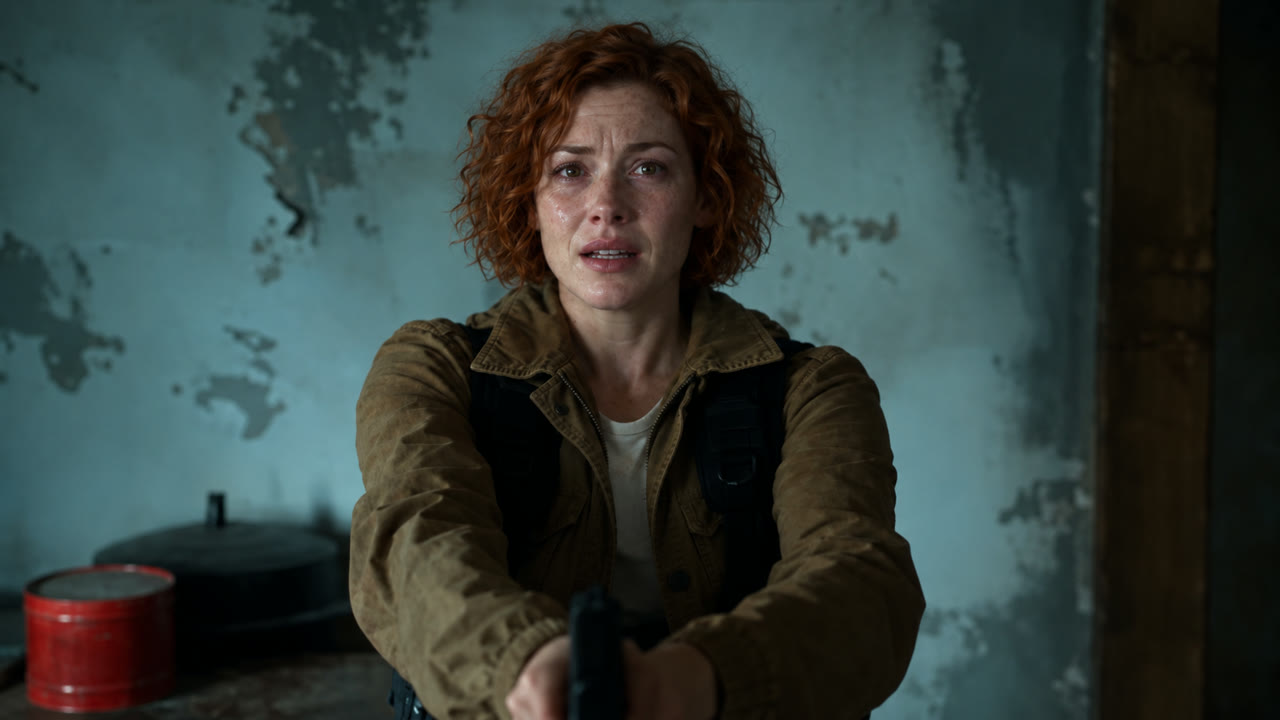
For example, “replace the adult survivor in the olive jacket” gives more useful direction than “replace her.” If that person also appears in a warm memory, say that the replacement should apply there too. The illustrated walkthrough below shows a single character change: original video frame, new reference character and an illustrative edited frame.
One-person replacement is a useful first brief for this zombie couple video AI generator. It reduces the number of identities you ask the model to handle at once. Backgrounds and neighboring details can still change, so inspect overlapping arms, hair edges and faces during contact. Use a shorter shot if the intended replacement becomes hard to describe.
| What you already have | What you want | Starting workflow |
|---|---|---|
| A source clip and character references | Reinterpret the zombie couple performance | Motion Transfer |
| A source clip and one replacement portrait | Change a selected partner in the scene | Object Swap |
| Only two photos, with no video | Make the zombie love story with those faces | Choose a supplied source clip first; this tool requires video |
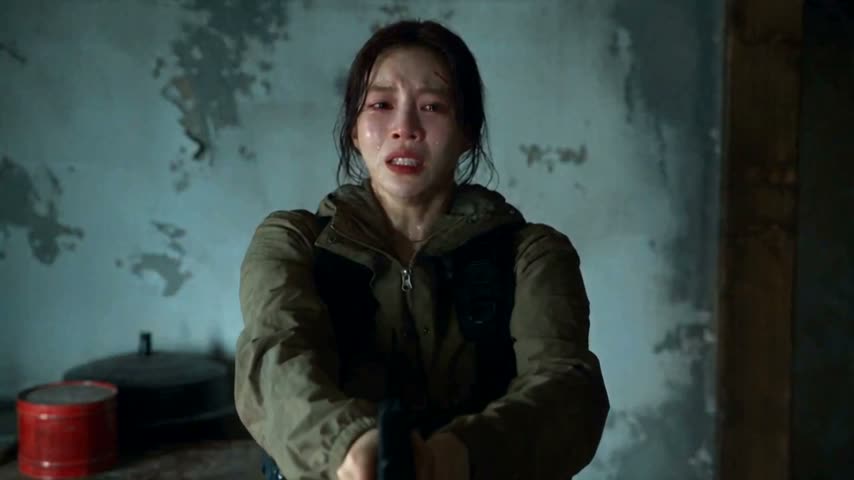
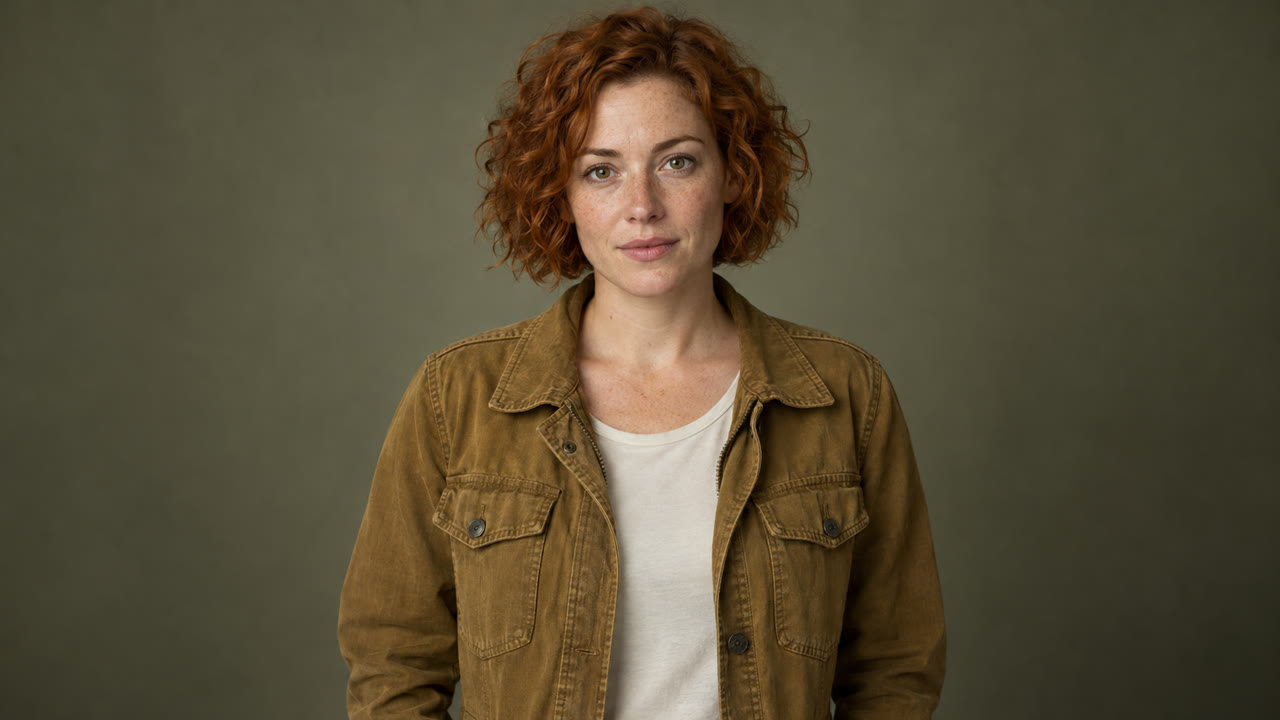
Source video frame AI-generated character reference Illustrative recast · AI-generated still
The creator at the top starts with a zombie couple source clip, an editable Motion Transfer prompt and 480p selected. Add your own reference images, or use the video control to choose another supplied clip or your footage. The full clip stays selected until you use Edit clip. Recreate and the final “Create my zombie couple video” button open the full workspace.
Choose a 4–30 second passage that contains the moment you want to remake. Keep both partners visible during the approach and embrace. Include the memory cut only when it is already in your source and matters to your version. You can prepare the clip and reference images before signing in.
Add one to eight reference images. For a couple, start with separate clear portraits and write the role assignment in the prompt: Reference 1 is the human survivor; Reference 2 is the infected partner. That is the convention in our example prompt, not a universal rule across zombie video tools. Reverse the instructions if you want to swap roles.
Use images you have permission to upload. Visible faces, even lighting and distinct clothing make the intended casting easier to describe. For one-person Object Swap, use a reference for that person and name the target in the source. Ask for a restrained zombie appearance if you want the relationship to remain the focus.
Choose 480p or 720p, then Generate. Sign in if prompted to obtain the confirmed quote for your prepared clip. Review the inputs and credits, add credits if needed, and select Confirm & generate when ready. Signing in or paying does not start generation. Loading a source in the zombie couple video AI generator does not spend generation credits.
Watch the finished video from beginning to end. Compare both faces, the chosen roles, clothing and the hug against your brief. Pause at the memory transition to check that the same characters remain recognizable. Download the version you want to keep, then add captions or licensed music in your editor or publishing app.
Visual walkthrough: one source frame, a new character reference and an AI-generated edit of that frame. The final image illustrates the intended change; it is not a generated video result.
A useful zombie love story prompt explains the two roles, the change you want and the action already present in the source. The Motion Transfer example is applied in the creator above. Edit it to match your photos and footage. Switching to Object Swap keeps your current text, so adapt or replace it for that mode. These examples describe an intended edit; they are not pretested recipes or guarantees.
Recast the two adults in the source video using my character references. Reference 1 is the human survivor; reference 2 is the infected partner. Follow the source’s approach, reactions and embrace. Keep their identities distinct using the reference faces, hairstyles and clothing. Give the infected partner pale skin and an unsettling gaze without graphic wounds. If the source includes a warm memory, show the same partner healthy in that scene. Preserve the intended emotional contrast. Do not invent extra characters or a memory transition absent from the source.
For a first zombie couple video, choose a short passage with visible faces. Give each reference a clear role, and review identity through the embrace rather than judging only the opening frame.
Replace only the adult survivor in the olive jacket with the adult character in my reference image. Use the reference face, short copper curls and ochre jacket. Match the target’s pose, scale, expression and scene lighting. Keep the other character, room and camera framing as consistent with the source as possible. Apply the same identity to the survivor wherever that person appears in the selected clip. Do not add people, graphic injuries or new scene transitions.
This prompt describes the illustrated character replacement. Rewrite the clothing and role to match your clip. The zombie couple video AI generator interprets that request; it does not promise an unchanged background or frame-identical performance.
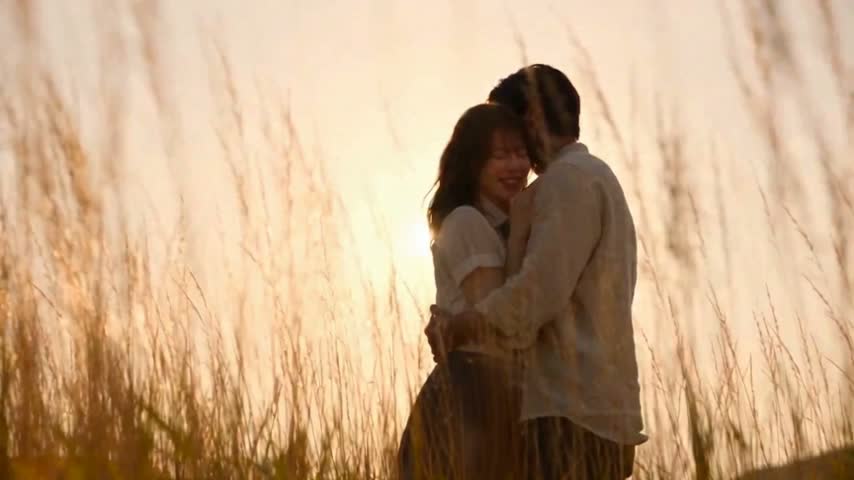
The two people make a zombie couple video meaningful. Before choosing a vertical crop, watch where each person moves. A face near the center at the start may reach the edge during the approach. Check the memory scene separately: a wide shot of the couple in a field may need more room than a close-up in the frightening scene.
For TikTok, Reels or Shorts, preview the entire crop. If it removes a partner, keep the wider picture and place it on a vertical canvas in your editor. Cropping cannot recover missing image area. For Object Swap, the prepared video must contain at least 409,600 pixels per frame, so a tight crop can make an otherwise suitable clip too small.
Keep the brief emotionally clear. Recognition, hesitation and affection can carry a zombie love story without graphic injuries. A pale complexion and changed expression may be enough. Review the result, its soundtrack and the destination platform’s current posting rules before sharing it as an AI-created scene.
Buy a credit pack once. See the cost before every generation, with the same rates for Motion Transfer and Object Swap.
—
one-timeUSD · one-time payment
One-time credit pack
480Credits
480p · up to 8s total
Up to 8s total at 480p
720p needs at least 520 credits
720p needs at least 520 credits
—
one-timeUSD · one-time payment
One-time credit pack
1,000Credits
480p · up to 16s total
Up to 16s total at 480p
720p · up to 7s total
Or up to 7s total at 720p
—
one-timeUSD · one-time payment
One-time credit pack
1,500Credits
480p · up to 25s total
Up to 25s total at 480p
720p · up to 11s total
Or up to 11s total at 720p
—
one-timeUSD · one-time payment
One-time credit pack
3,300Credits
480p · up to 55s total
Up to 55s total at 480p
720p · up to 25s total
Or up to 25s total at 720p
A 10-second clip uses 600 credits at 480p or 1,300 at 720p.
480p: 60 credits/sec · 720p: 130 credits/sec
Pack allowances are alternative uses of one balance and can cover multiple clips. Each clip must be 4–30 seconds. Combine packs for longer clips or 720p.
Pricing and billing detailsOne-time credit packs. A quote for your chosen clip.
This zombie couple video AI generator uses the standard Genjutsu AI rates: 60 credits per billed second at 480p or 130 at 720p. The prepared clip’s duration rounds up to the next whole second. A 4.2-second passage is billed as five seconds. Your confirmed quote uses that duration and the selected quality, rather than a fixed price for every love story.
| Video duration | 480p | 720p |
|---|---|---|
| 4 seconds | 240 credits | 520 credits |
| 5 seconds | 300 credits | 650 credits |
| 10 seconds | 600 credits | 1,300 credits |
| 20 seconds | 1,200 credits | 2,600 credits |
Coverage below uses base credits; any eligible first-purchase bonus is shown separately. Check your balance against the confirmed quote. The lowest-priced pack is — for 480 credits. It can cover a short 480p test, but it does not cover the minimum four-second 720p generation. The preloaded source is about 20 seconds, so trim it if you want a smaller first test. Review current credit packs and the actual confirmed quote before confirming. A successfully generated revision is a new generation; budget for another attempt if you change your direction.
It is a tool for creating or personalizing the zombie couple love story: recognition, hesitation, an embrace and often a warm-memory cut. Some tools generate a preset story from two portraits. Genjutsu AI transforms an existing source video with character references, using Motion Transfer or Object Swap. Choose according to whether you want a preset story or to work from a particular clip.
You can use two portraits as character references, but Genjutsu AI also needs a source video. Choose one of the supplied clips or upload your own before adding the photos. The clip provides movement and story timing; the portraits guide appearance. If you want a story generated without any source video, look for a dedicated photo-to-video template.
Our example prompt assigns Reference 1 to the human survivor and Reference 2 to the infected partner. Those roles come from the written brief, not an automatic zombie-photo slot. You can reverse them in the prompt. To change one person, choose Object Swap, provide that replacement’s image and identify the target by role and visible clothing.
Use clear, separate portraits and keep the role assignments consistent. Describe distinct hair or clothing, and specify that the infected partner appears healthy in any memory already present in the clip. Start with a short passage and inspect both faces during the hug and scene changes. References guide identity, but exact likeness and consistency across cuts are not guaranteed.
The source guides the edit, but exact movement, cuts, framing and original audio are not guaranteed. Choose footage that already contains the hug and memory transition you want. Watch the delivered file in full and check sound separately. Add or align music you have permission to use in your editor if needed.
Browsing examples and preparing inputs do not spend generation credits. Generating a video requires paid credits from a one-time pack. The quote depends on the prepared clip’s rounded-up duration and selected resolution, so a shorter passage generally costs fewer credits at the same quality. Review the confirmed quote before submitting.
The couple version describes the romantic part of the broader AI zombie trend. Zombie love story, zombie hug and My Beloved Zombie are overlapping search names for similar reunion-and-memory videos. A new name does not establish a new technique, a single original creator or an official app. Watch the example and check the required inputs rather than choosing by the label alone.
The three videos are supplied trend references, not verified Genjutsu AI outputs. The walkthrough uses a source frame, an AI-generated character reference and an illustrative edited still. It shows the intended replacement, not a completed video generation. The linked Genjutsu AI video case study is a separate example of the product’s workflow.

Choose who stays human, who changes and which moment you want to remake. Your source clip and starting prompt are ready above. Add your character references and use the Zombie Couple Video AI Generator to shape your version of the love story.
Create my zombie couple video