original
Trend reference
Bring a new character to the party. Let the clip guide the performance.
Add a clip to estimate credits
Review the cost before you generate.
Use the Drake Burning Bridges AI Video Generator workflow in Genjutsu AI to reinterpret a party performance with your own character. Start with a source video, add clear reference images, and choose Motion Transfer or Object Swap. The clip supplies the movement; your images and prompt describe the change. Preview the examples, choose your framing, and review the credit quote before generating.
The Burning Bridges AI trend recasts the lead in a party performance associated with Drake’s “Burning Bridges” music video. Many versions keep the crowd, close camera, cup gestures, and the searching motion often called “Where she at?” while changing the person at the center. The appeal is the contrast: a familiar sequence becomes a different character’s moment.
The official Drake music video provides the music-video context. The examples on this page take the idea into different settings. The supplied office-party source is the motion reference used here; its timing may differ from the official music video. It is labelled original in the library so you can identify the source behind this page’s Recreate actions.
A reference-video workflow gives your version a specific performance to follow. A text description alone leaves much of the action to the model. Here, the source establishes when someone turns, lifts a hand, or moves through the shot. You direct the new appearance and decide how much of the setting you want to reinterpret.
Choose Motion Transfer when the source’s body language is your starting point. You might give the lead an original character design or carry the performance into another visual style. Use a reference that shows enough of the new character to explain the intended face, clothing, and silhouette. A portrait supplies less wardrobe information than an image showing the torso and arms.
Direct one lead first. Name that subject by position and action, then explain how the reference applies. If the source already contains an AI character, describe the replacement you want instead of asking for a vague face swap. Keep the instructions compatible with the clip: asking for a seated performance while the source moves around the room creates a conflicting brief.
Motion Transfer guides a new interpretation. It can change background details, expressions, or the relationship between hands and props. Judge the result across the whole passage, particularly when the camera approaches the lead or another guest crosses in front. A strong opening frame does not establish consistency for the rest of the video.
Choose Object Swap for a more focused request within footage you want to keep recognizable. You can ask to replace the central performer, adjust a clearly identifiable item, or introduce a referenced character while retaining the surrounding party. Identify the target with several visible clues rather than relying on a name the model may not associate with the right person.
For a person replacement, separate identity from action. Your image describes the new face and outfit; the video describes the pose, movement, and place in the shot. If a cup belongs to the target, say whether it should stay with that person. Review the contact between fingers and cup as the hand rotates or moves near the face.
A focused prompt does not lock every other pixel. Neighboring faces, clothing, and objects can still shift. If the edit affects too much of the room, simplify the request and use a passage with a clearer view of the target before adding another creative change.
| Your creative goal | Suggested mode | Useful starting material |
|---|---|---|
| Give the performance a new lead or visual style | Motion Transfer | A clear motion clip, a character image, and a focused scene brief |
| Replace one selected person or object within the party | Object Swap | A visible target, a replacement reference, and instructions for the surrounding scene |
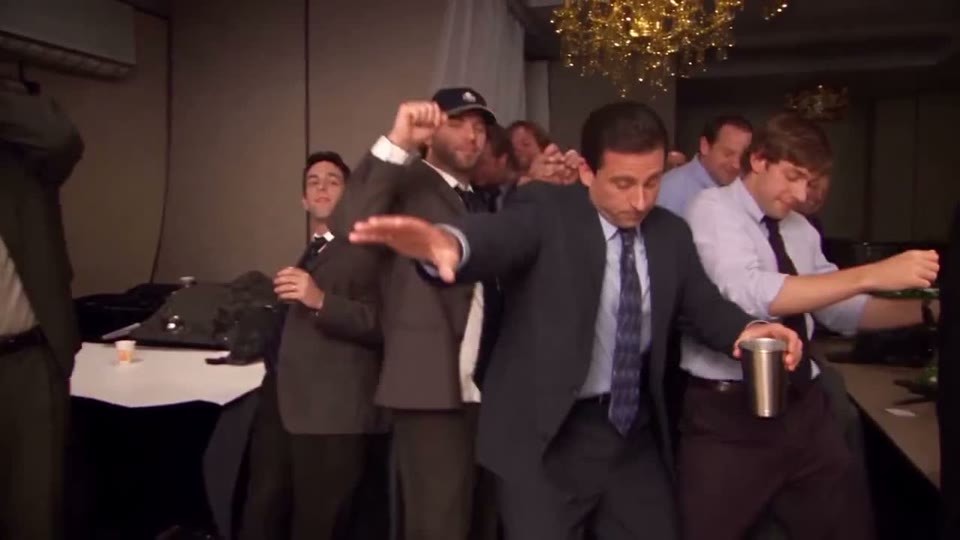
The creation panel starts with this page’s original source, an editable Motion Transfer prompt, and 480p. Add your own reference images before requesting generation. Every Recreate card opens the full workspace with the same original source; the creative preview helps you choose a direction. Recreate loads the video only and keeps the workspace’s normal defaults. An existing draft still uses the replacement confirmation.
The supplied landscape source is about 28.1 seconds long and fits the 4–30 second duration range. You can retain it or choose a shorter section with Edit clip. Watch the beginning and end before trimming so that a gesture does not start or finish halfway through. If you upload another source, use an MP4 up to 45 MiB and prepare a supported duration.
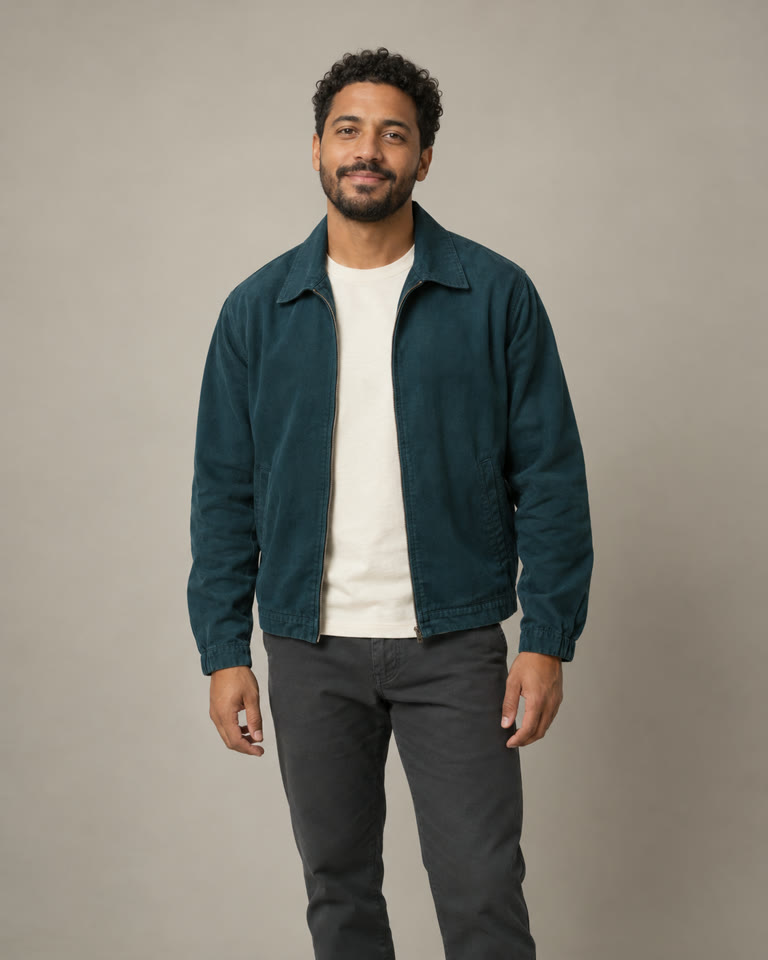
Upload one to eight JPG, PNG, or WebP reference images, each up to 8 MiB. Start with one clear image for one character. Use additional views only when they clarify the same intended appearance. Choose even lighting and visible facial features; include the outfit and upper body when those details matter to the party scene.
Select Motion Transfer for a broader reinterpretation or Object Swap for a selected replacement. Adapt the prompt to the chosen mode and your actual files. Changing modes does not rewrite your text. The illustrated steps show a source frame, an AI character reference, and an illustrative transformed frame so you can see how the inputs relate; they are not evidence of a completed Genjutsu video.
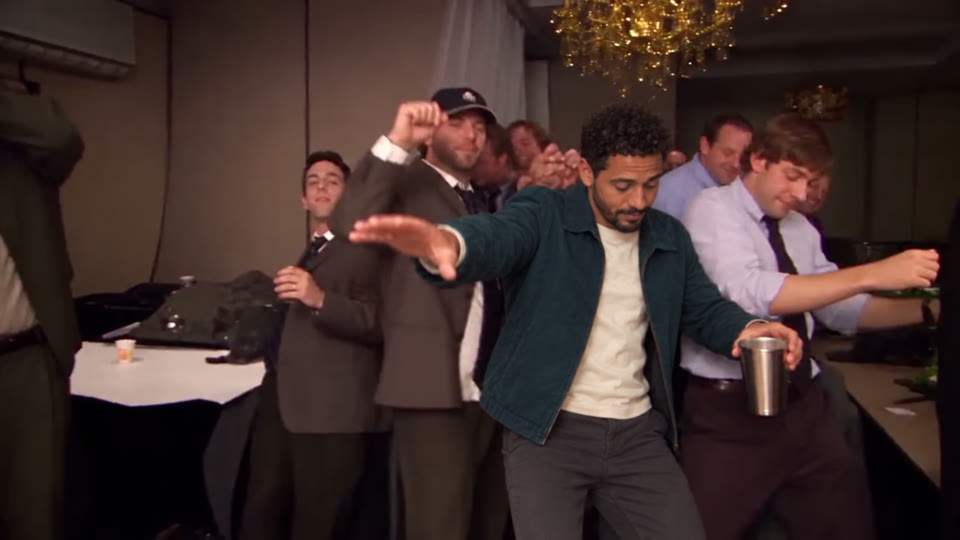
Choose 480p or 720p and request a quote for the prepared clip. Sign in when prompted, review the inputs and credit total, and confirm generation when ready. Signing in or purchasing credits does not submit the video by itself. Processing time depends on the queue and provider; the workspace shows the job’s available status.
When a result is available, watch at normal speed and pause at turns, gestures near the face, and foreground overlaps. Check identity, clothing, hands, prop contact, and the final frame. Listen to the downloaded file too. Arrange suitable audio in your editor if needed, then review the complete edit before publishing.
The Motion Transfer prompt below is applied in the creation panel and remains editable. These original examples describe creative intentions, not tested outcomes. Replace the subject details with your own. Keep instructions about cups or searching gestures only when those actions appear in your selected clip. A prompt can be up to 10,000 characters, but a clear brief is usually easier to revise than a long list of competing directions.
Use my reference image to redesign the main performer in the supplied party video. Give the lead the reference character’s face, hairstyle, build, and clothing. Let the selected clip guide the body rhythm, arm movements, turns, and camera pace. Keep the surrounding people visually distinct from the lead. Maintain a coherent party setting and believable contact with any object the performer holds. Carry the same character design through close views and moments of partial obstruction. Keep the sequence focused on the actions already present in the video.
For the supplied office-party source, keep or deliberately change that setting in your brief. If you use another Burning Bridges clip, describe its actual room and performer; avoid adding a chandelier simply because it appears in another version.
Replace the central foreground performer in this video with the adult character shown in my reference. Use the image for the replacement’s face and outfit, and the video for their position and movement. Keep the other guests in their existing roles and retain the room’s overall composition. Follow the target through the full selected passage, including turns and brief obstructions. Where the target holds a cup or another prop, keep its shape and its contact with the hand consistent. Avoid spreading the replacement character’s appearance to surrounding people.
Add a visible clothing or location clue if several people could be the central performer. For a prop-only edit, rewrite the target description so the request does not also ask to replace the person.
The supplied Burning Bridges examples are landscape videos. A vertical crop can remove a raised hand, a nearby guest, or the object that makes the action readable. Preview the full passage at the intended framing. Leaving a little space around the lead is more useful than filling every edge with their face.
If the gesture will not fit a 9:16 crop, keep the wider image and arrange it on a vertical canvas in your editor. Cropping cannot recover picture area outside the source. For Object Swap, the prepared video must have at least 409,600 pixels per frame; heavy cropping can bring an otherwise large video below this requirement.
Use the same review routine after generation: look for a hand changing shape, a cup moving between sides, or the lead returning with a different face after being hidden. These are useful checks for this particular performance, rather than reasons to assume every result will contain those errors.
Buy a credit pack once. See the cost before every generation, with the same rates for Motion Transfer and Object Swap.
—
one-timeUSD · one-time payment
One-time credit pack
480Credits
480p · up to 8s total
Up to 8s total at 480p
720p needs at least 520 credits
720p needs at least 520 credits
—
one-timeUSD · one-time payment
One-time credit pack
1,000Credits
480p · up to 16s total
Up to 16s total at 480p
720p · up to 7s total
Or up to 7s total at 720p
—
one-timeUSD · one-time payment
One-time credit pack
1,500Credits
480p · up to 25s total
Up to 25s total at 480p
720p · up to 11s total
Or up to 11s total at 720p
—
one-timeUSD · one-time payment
One-time credit pack
3,300Credits
480p · up to 55s total
Up to 55s total at 480p
720p · up to 25s total
Or up to 25s total at 720p
A 10-second clip uses 600 credits at 480p or 1,300 at 720p.
480p: 60 credits/sec · 720p: 130 credits/sec
Pack allowances are alternative uses of one balance and can cover multiple clips. Each clip must be 4–30 seconds. Combine packs for longer clips or 720p.
Pricing and billing detailsReview the credits for your selected duration
Genjutsu AI uses one-time credit packs. Generation costs 60 credits per billed second at 480p or 130 at 720p. The prepared duration is rounded up to the next whole second, so a shorter selected passage can reduce the quote.
| Video duration | 480p | 720p |
|---|---|---|
| 4 seconds | 240 credits | 520 credits |
| 5 seconds | 300 credits | 650 credits |
| 10 seconds | 600 credits | 1,300 credits |
The lowest-priced pack currently shows — for 480 credits. Compare the confirmed quote with your available balance; a pack does not necessarily cover every length and resolution. Coverage shown here uses base credits, with any eligible bonus presented separately. See current credit packs for the available currency and offers. This page does not promise a completion time, exact gesture matching, or an included music license.
The official Drake music video is linked in the trend explanation and sources below. This page uses a supplied office-party AI remix as its motion reference, labelled original in the library. That reference has its own performance timing. Use the official upload for the music-video context and the selected source to guide the transformation you are making here.
This workflow needs a source video and at least one reference image. To include the searching gesture, select a video passage that actually contains it. The image describes who appears, while the clip supplies the action to follow. A text prompt does not provide the missing motion reference.
Every Recreate card on this page opens the workspace with the page’s original source video. The other clips show creative directions. Recreate does not add a character image or prompt, change the normal workspace defaults, or begin generation. Review the source field and add your own references before continuing.
Original audio and precise lip sync are not guaranteed. Listen to the generated file and inspect the mouth movement before using it. You may need to add or align suitable music separately. Genjutsu AI does not offer a voice-cloning control in this workflow, and buying a generation does not license the song.
You can try an original character reference, but anatomy affects how well a human performance translates. A character with clearly visible arms and hands is easier to describe for cup handling than an ordinary pet portrait. Treat animal or highly stylized versions as experiments and inspect limbs, balance, and prop contact carefully.
Genjutsuai.io is an independent video product and is not an official Drake site. It offers Motion Transfer and Object Swap through the Higgsfield Genjutsu API. The workspace settings and credit packs shown here belong to this website; Higgsfield’s own products and account options may differ.
Explore the Bulin 47 AI video for a street-freestyle scene with a lead performer, speaker holder, and crowd. The Hotel Lobby AI video trend offers a two-person studio performance. Each source needs its own role assignments and framing decisions.

Choose the source moment, give the lead a clear character reference, and direct one change at a time. Open the workspace with the supplied original or prepare your own clip, then review the quote before generating.
Create my Burning Bridges video